


Face Me: AI Art Photo Editor
4.01.43K Reviews
App Specs
- Version
- 2.4.5
- Updated On
- License
- Free
- Downloads
- 10,000,000+
- Developer
- Hodor Tools App
- Categories
- Photography
- Platform
- Android
Screenshots
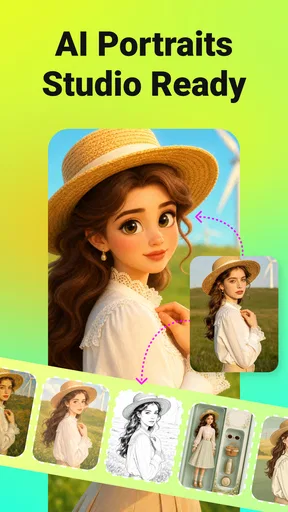
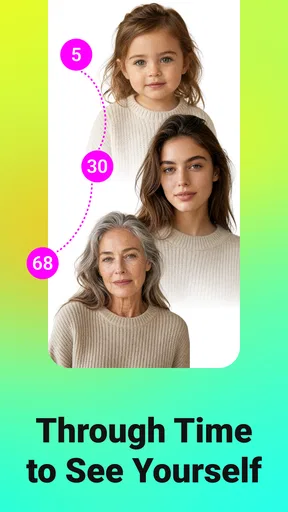

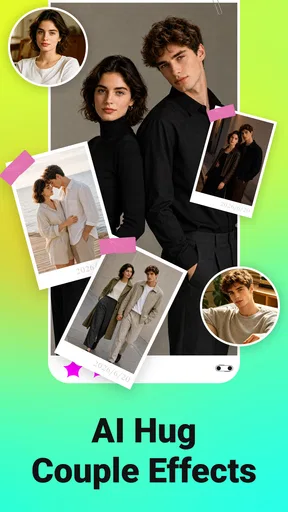
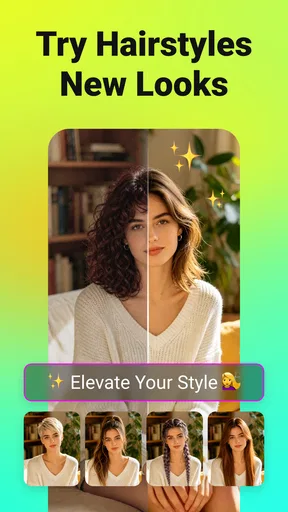
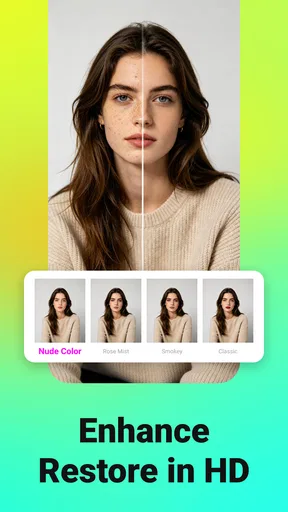
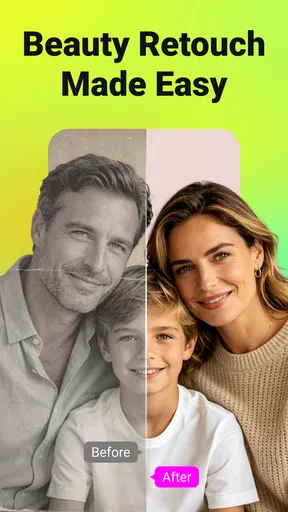
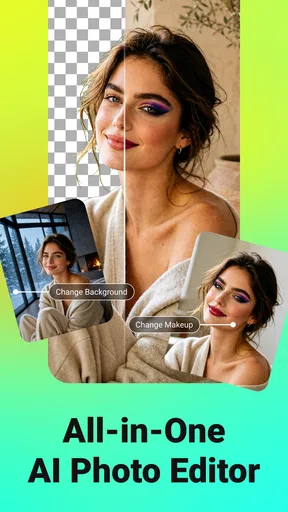
 Analysis by AppCompare
I’d treat Face Me as a playful shortcut to stylized portraits, not as a replacement for a full photo-editing suite. Its appeal is the quick leap from an ordinary picture to an image with a more imaginative look; the trade-off is that a strong effect can take over the photo rather than refine it. If you enjoy experimenting and want something easy to share, it’s worth a look. If you need precise control over every adjustment, a conventional editor will suit you better.
A quick creative detour for everyday photos
In practical terms, this is a photography app from Hodor Tools App built around AI-assisted image effects. Its short store description is “Face Me,” and the broader idea is to give portraits and other pictures an artistic treatment without asking you to learn a complicated editing workflow. I see that as its clearest strength: you can try a visual direction quickly, then decide whether the result feels right for the photo.
A useful way to approach any AI filter is to start with a picture that has a clear subject and reasonably even lighting. A sharply framed face gives the effect recognizable features to work with, while a busy background or deep shadow can compete for attention. This isn’t a promise that every image will transform equally well; it’s a practical way to give an automated style a better starting point.
Where the quick results help—and where they don’t
For a profile picture, a themed post, or a lighthearted image to send to a friend, speed matters more than fine retouching. An AI treatment can make a familiar photo feel fresh without requiring me to adjust color, contrast, and texture one control at a time. The result is most useful when I want a distinctive mood rather than a faithful, natural-looking portrait.
That distinction matters. A dramatic filter may alter the character of a face or make skin and fine details look less natural. I would compare a few styles before settling on one, and I’d keep the original image untouched so I can return to it later. If the edit is intended for a professional headshot, a sensitive family portrait, or a print where subtle detail matters, I’d lean toward a standard editor that gives me more deliberate control.
Worth knowing before you make it part of your routine
The app is free to download, but in-app purchases range from $2.99 to $199.99 per item. That wide spread is a reason to pause before buying anything: check what an individual purchase covers and whether it matches how often you expect to use the app. A casual user may be perfectly happy experimenting without spending, while someone who wants to use particular paid options regularly should decide whether the cost makes sense for their own workflow.
It has a 4.0 average from around 58,000 ratings, and it has passed 10 million installs. Those figures suggest that plenty of people have tried it, but they can’t tell me whether a particular effect will suit my face, my pet, or the photo I have in mind. I’d use the first session to test a few different kinds of images rather than judge it from one result alone.
Worth Reading Before You Choose

EA SPORTS FC Mobile 26 Is a Bigger Football Game, but It Takes Time

Flipboard Shows What News Apps Must Do Beyond the Feed

Switching to Android Auto Means Rethinking Your Driving Routine

Google Calendar Makes a Crowded Week Easier to Manage

Ludo King Makes the Most of the Minutes Between Plans

Baby Panda World Brings Quick Play to Modern Phones, but Its Game Library Feels Busy
It is rated for Everyone, and the current version is 2.4.5, with Android 7.0 as the minimum operating-system requirement. The app was released on September 20, 2023. Those details are useful if you’re checking device compatibility or choosing an editing app for a younger family member, though the age rating shouldn’t be mistaken for a guarantee that every image-editing choice will be appropriate for every situation.
The Magic of AI in Your Hands
First things first, let's chat about the core appeal: the AI technology. Face Me: AI Art Photo Editor utilizes sophisticated algorithms to morph your everyday photos into digital masterpieces. Whether you're aiming for a classic oil painting look or something more abstract, this app has got you covered. It's like having a personal art studio right on your phone.
Getting Started: Easy Peasy
Installing the app is a breeze. After a quick download from the app store, I was ready to dive in. The interface is super user-friendly, so even if you're not tech-savvy, you'll feel right at home. The home screen is clean and intuitive, with all the main features easily accessible.
Features That Wow
Now, onto the juicy stuff. The app offers a wide range of filters and editing tools. Want to see yourself as a Van Gogh or Picasso? Simply select the desired filter and watch the magic happen. The transformation is quick and the results are genuinely impressive.
But wait, there's more! The real-time preview feature is a game-changer. You can see how your photo will look with different styles before committing to the edit. It’s incredibly handy for those indecisive moments when you can't choose between looking like a Renaissance portrait or a futuristic avatar.
Beyond Just Faces
While the name suggests it’s all about faces, the app works wonders on landscapes and pets too. I tried it on a photo of my adorable cat, and the result was a frame-worthy piece of art. Seriously, who knew my cat could look so regal?
Sharing Your Creations
Once you've crafted your masterpiece, sharing it is as simple as tapping a button. The app integrates seamlessly with social media platforms like Instagram and Facebook. Trust me, your followers will be blown away. And if you're old school like me, you can always save the image to your device and print it out. There's something special about holding a physical copy of your digital art.
Behind the Scenes: What Powers It
For the curious minds who love to know how things work, the app leverages cutting-edge AI technology. It's fascinating how it analyzes each photo's unique features to apply the perfect artistic touch. The developers have done a stellar job of making advanced tech feel accessible and fun.
Oh, and let's not forget about the regular updates. The team behind Face Me: AI Art Photo Editor is constantly adding new filters and features, so there's always something new to explore. It keeps the experience fresh and exciting, which is a huge plus in my book.
Is It Worth the Download?
In a word, absolutely. If you’re someone who loves photography or just enjoys playing around with images, this app is a must-have. It not only enhances your photos but also offers a fun and creative outlet. Plus, it's a great way to impress your friends with your newfound "artistic" skills.
So, what are you waiting for? Hop over to the app store and give it a whirl. I promise you’ll have a blast turning your photos into art. Just be prepared for everyone to ask, "How did you do that?"
A realistic way to decide if it fits
Imagine you’ve taken a quick selfie before meeting friends and want a more playful image for a group chat. I’d make a copy of the photo, try a few contrasting treatments, and compare the previews at the size they’ll actually be seen. A filter that looks impressive full-screen may feel too busy as a small profile image. Choosing with the final use in mind is more reliable than picking the most dramatic effect.
The same approach helps with pet and landscape pictures. For a pet portrait, a clean view of the animal is a better test than a distant shot where the subject occupies only a small part of the frame. For a landscape, I’d check whether the effect keeps the scene legible instead of letting texture overwhelm the details. These quick checks help avoid saving a striking edit that doesn’t work once it leaves the preview.
How it compares with familiar editing options
Compared with a traditional photo editor, the attraction here is the artistic transformation rather than careful correction. A standard editor is usually the better choice when I want to crop precisely, adjust exposure, or keep a natural finish. A collage or social-media design app is more suitable when the main job is adding text, arranging several pictures, or preparing a layout. This app makes the most sense when the image itself is the project and I want to see it in a different visual style.
That focus also sets a sensible boundary. I wouldn’t make it my only photography tool if I regularly need controlled edits or a consistent look across a batch of pictures. For occasional portraits, amusing pet images, and creative experiments, a dedicated effect-based app can be more inviting than a large editor with controls I don’t need. The best choice depends on whether I want a new style or a carefully corrected photograph.
Small choices that improve the workflow
I’d save the untouched photo before testing effects, then keep only the versions I genuinely like. That makes it easier to compare edits without losing the original and avoids accumulating near-identical alternatives. If I’m choosing an image for a public profile, I’d also check it at thumbnail size and ask whether it still looks like me; a memorable effect is less useful if the person becomes hard to recognize.
For a print, I’d be more selective than for a social post. A style that looks charming on a phone can feel overpowering when viewed larger, so I’d inspect the finished image carefully before sending it to print. The same restraint applies when sharing pictures of other people: an artistic transformation can change how someone appears, so I’d choose a treatment they would be comfortable seeing circulated.
Who I’d recommend it to
I’d suggest trying it if you enjoy playful portrait effects, like testing different looks, or want an easy creative activity that doesn’t begin with a blank canvas. It can also suit someone who wants to make a pet photo more whimsical or give a familiar landscape a more expressive mood. The key is to treat the output as an interpretation, not as a guaranteed improvement to every picture.
I’d steer away from it if your priority is realistic retouching, meticulous color work, or dependable control over each part of an image. It may also be a poor fit if you dislike experimenting with effects or would rather avoid optional purchases altogether. In those cases, a conventional editor with direct adjustment tools—or simply the camera’s original photo—may be the more comfortable choice.
A balanced recommendation
My overall view is that Face Me is best approached as a creative companion for selected images, not an all-purpose photography workspace. Its AI-led transformations make experimentation approachable, and the ability to compare looks can help when I’m undecided. The limitations are equally worth keeping in view: stylized results won’t suit every subject, and people who need precision should look elsewhere for their main editing tool.
Pros
- Intuitive interface for easy navigation.
- Wide range of artistic filters available.
- Quick processing of images.
- High-quality output results.
- Regular updates with new features.
Cons
- Limited free features; subscription needed.
- Some filters require strong internet.
- Occasional app crashes on older devices.
- Privacy concerns with user data storage.
- Ads can be intrusive without payment.
FAQs for Face Me: AI Art Photo Editor
What features does Face Me: AI Art Photo Editor offer?
Face Me: AI Art Photo Editor provides a variety of features including AI-driven filters, artistic effects, and a wide range of editing tools. Users can transform their photos into artworks with styles inspired by famous artists. The app also offers basic editing tools like cropping, brightness adjustment, and contrast enhancement.
Is Face Me: AI Art Photo Editor free to use?
Face Me: AI Art Photo Editor is free to download and use, but it offers in-app purchases. These purchases can unlock premium features, provide access to exclusive filters, and remove ads. There may also be a subscription option for those looking to maximize their editing capabilities.
Can I use Face Me: AI Art Photo Editor offline?
While some basic editing features are available offline, many of the AI-driven effects require an internet connection to process your images. This is because the app utilizes online servers to perform complex computations necessary for high-quality artistic transformations.
How user-friendly is Face Me: AI Art Photo Editor?
Face Me: AI Art Photo Editor is designed with simplicity and ease of use in mind. It features an intuitive interface, making it accessible for both beginners and experienced users. The app provides helpful tutorials and tips to guide users through its various features, ensuring a smooth editing experience.
Is my data safe with Face Me: AI Art Photo Editor?
Face Me: AI Art Photo Editor adheres to standard privacy practices to protect user data. It only accesses photos you choose to edit and does not store them on its servers without permission. Users are encouraged to review the app's privacy policy for detailed information on data handling and protection.


